Overview
InvenTree API
InvenTree provides a powerful REST API for interacting with inventory data on the server. Low-level data access and manipulation is available, with integrated user authentication and data validation.
Django REST Framework
The InvenTree API is based on the powerful and flexible Django REST Framework.
Documentation
The API is self-documenting, and the documentation is provided alongside any InvenTree installation instance. If (for example) you have an InvenTree instance running at http://127.0.0.1:8000 then the API documentation is available at http://127.0.0.1:8000/api-doc/
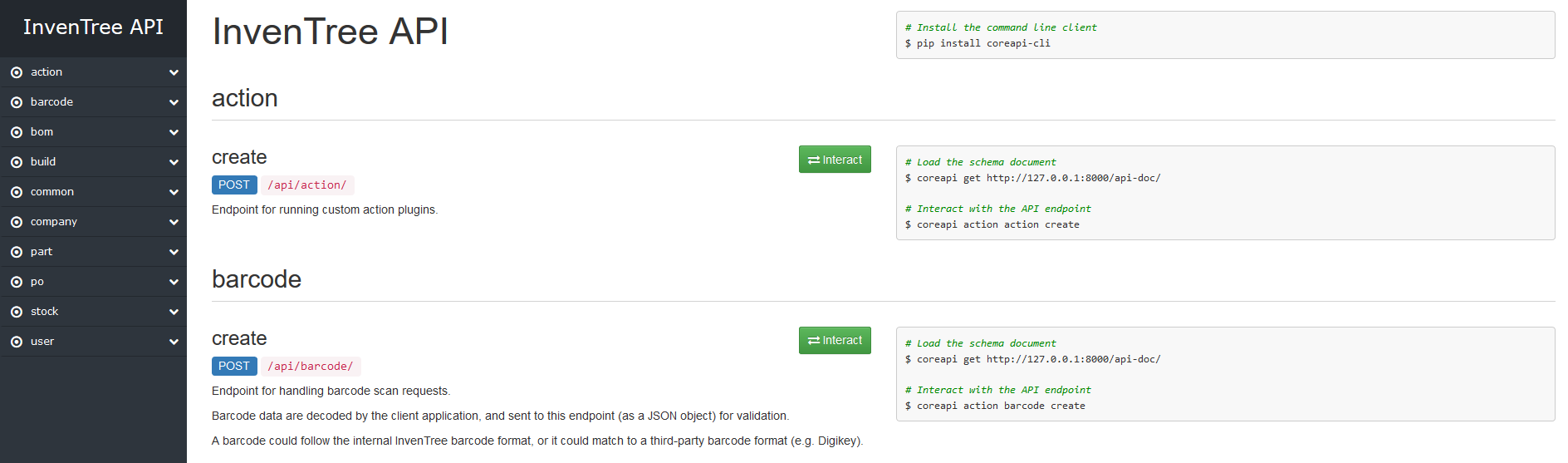
Browseble API
If debug mode is enabled, the API can be browsed directly from the web interface. This provides a simple way to explore the API and test out different endpoints. Simply navigate your web browser to any API endpoint, and the API will be displayed in a human-readable format.
Schema Description
The API schema is also documented in the API Schema page.
Generating Schema File
If you want to generate the API schema file yourself. For example, to use with an external client, use the invoke dev.schema command. Run with the -help command to see available options.
invoke dev.schema -help
Authentication
Users must be authenticated to gain access to the InvenTree API. The API accepts either:
- basic username:password authentication
- bearer token authentication
- OAuth2 authentication with scoped tokens
Token authentication is recommended as it provides much faster API access and is persistent when users change authentication methods, multifactor setups or passwords.
Permissions
API access is restricted based on the permissions assigned to the user or scope of the application.
Basic Auth
Users can authenticate against the API using basic authentication - specifically a valid combination of username and password credentials.
Basic authentication attempts might run into rate limits during authentication on busy instances, as this is a likely place of attacks. Prefer Token or OAuth2 authentication instead.
Multi factor authentication
Basic authentication is a single factor, so it is refused for users who have multi factor authentication configured, and for all users while MFA is enforced. These users must use a token (generated in the user interface) or OAuth2 instead. See error code INVE-W20.
Tokens
Each user is assigned an authentication token which can be used to access the API. This token is persistent for that user (unless invalidated by an administrator) and can be used across multiple sessions.
Token Administration
User tokens can be created and/or invalidated via the user settings, Admin Center, or the Database Admin interface.
Requesting a Token
If a user does not already have an access token, they can request one via the user interface under the security user settings or the API interface, using a basic authentication request.
Tokens are only available once
Regardless of the request path used to obtain the token, it will only be displayed or provided once. Ensure that you copy and store it securely when it is first issued. Requesting a token with the same name will re-issue a new token, invalidating all previous ones of the same name.
There is a guided process to generate, view and revoke access tokens in the Security section of the user settings.
Alternatively the API also issues tokens. Perform a GET request to /api/user/me/token/. No data are required, but a valid username / password combination must be supplied in the authentication headers. It is recommended to also send a name that identifies the token. The Name is also used for re-issuance of tokens when tokens are re-requested.
Users with multi factor authentication
Requesting a token with a basic authentication request is not possible for users with MFA configured, or while MFA is enforced (see Basic Auth). These users should generate a token in the Security section of the user settings.
Calls to this endpoint by a user with MFA configured also require a recent login, so a token cannot be used to issue a new token. Otherwise, the server responds with HTTP 401 and the id reauthentication_required.
Credentials
Ensure that a valid username:password combination are supplied as a basic authorization header.
Once a valid token is received from the server, subsequent API requests should be performed using that token.
If the supplied user credentials are validated, the server will respond with:
HTTP_200_OK
{
    token: "usertokendatastring",
}
Using a Token
After reception of a valid authentication token, it can be subsequently used to perform token-based authentication.
The token value sent to the server must be of the format Token <TOKEN-VALUE> (without the < and > characters).
Tokens and MFA
A token is a bearer credential - requests made with a valid token are not challenged for a second factor. While MFA is enforced, tokens belonging to users who have not set up MFA are refused. They work again once the user sets up MFA.
Example: Javascript
var token = "MY-TOKEN-VALUE-HERE";

$.ajax({
  url: "http://localhost:8080/api/part/",
  type: 'GET',
  headers: {"Authorization": `Token ${token}`}
});
Example: Python (Requests)
import requests

token = 'MY-TOKEN-VALUE-HERE'
data = { ... }
headers = {
    'AUTHORIZATION': f'Token {token}'
}
response = requests.get('http://localhost:8080/api/part/', data=data, headers=headers)
Token generation / version
Starting with InvenTree 1.6.0, API tokens are generated in the v2 format. While most mechanisms are the same as the previous version, storage and handling of tokens was hardened. This results in token secret values not being stored anymore anywhere. They are only available in a variable immediately after creation. Storage of tokens is using one-way HMAC hashing. To protect against rainbow table attacks in case of a database breach, hashing is done with the addition of a cryptographic pepper that is calculated based on the SECRET_KEY.
Secure your cryptographic keys
To enable usage of tokens in case of a database recovery on a new instance, it is very important that you also restore the cryptographic keys, including the SECRET_KEY. All v2 access tokens will need to be re-issued if the cryptographic keys are not restored as they can not be validated without the correct material.
Rotating cryptographic material can have availability implications
Rotating cryptographic keys, including the SECRET_KEY, will render existing v2 tokens invalid. Ensure that you understand the impact on token-based authentication before performing key rotation.
oAuth2 and OIDC
InvenTree has built-in support for using oAuth2 and OpenID Connect (OIDC) for authentication to the API. This enables using the instance as a very limited identity provider.
A default application using a public client with PKCE enabled ships with each instance. Intended to be used with the python api and configured with very wide scopes this can also be used for quick tests - the client_id is zDFnsiRheJIOKNx6aCQ0quBxECg1QBHtVFDPloJ6.
Managing applications
Superusers/admins can register new applications and manage existing ones using the admin center.
It is recommended to:
- read the spec (RFC 6749 / 6750) and/or best practices (RFC 9700) before choosing client types
- chose scopes as narrow as possible
- configure redirection URIs as exact as possible
Scopes
InvenTree's oAuth scopes are strongly related to the user roles. Names consist of 1. type, 2. kind and 3. (opt) role, separated by colons.
There are 3 types:
- a: administrative scopes - used for administrating the server - these can be staff or superuser scopes
- g: general scopes - give wide access to the basic building blocks of InvenTree
- r: role scopes - map to specific actions (2) and roles (3)
Examples:
a:superuser
g:read
g:write
r:change:part
r:delete:stock
The general scopes g:read and g:write cover endpoints which are not associated with a specific role - g:read only grants read access (GET, HEAD, OPTIONS), write operations require g:write.
Scopes restrict - they do not grant
A request with an oAuth2 token must satisfy both the scopes of the token and the permissions of the user who authorized the application. A token can therefore never do more than the user is allowed to do. oAuth2 tokens are only accepted by the API - they can not be used to log in to the web interface, or to issue (or manage) API tokens.
Read the API docs
The API documentation and schema list the required scopes for every API endpoint / interaction in the security sections.
Authorization
User Roles
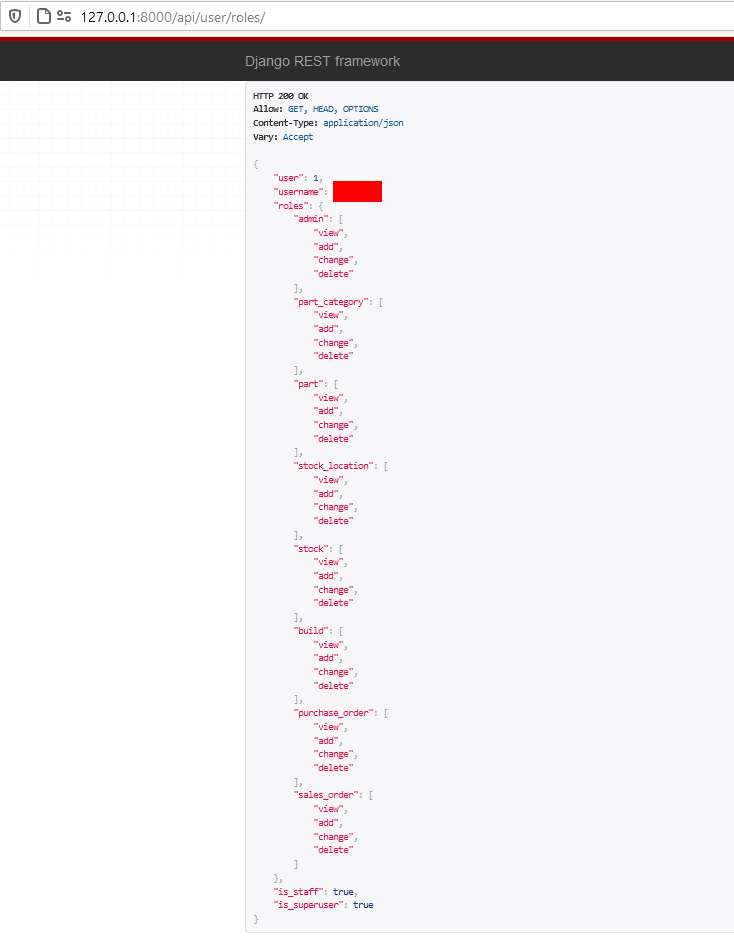
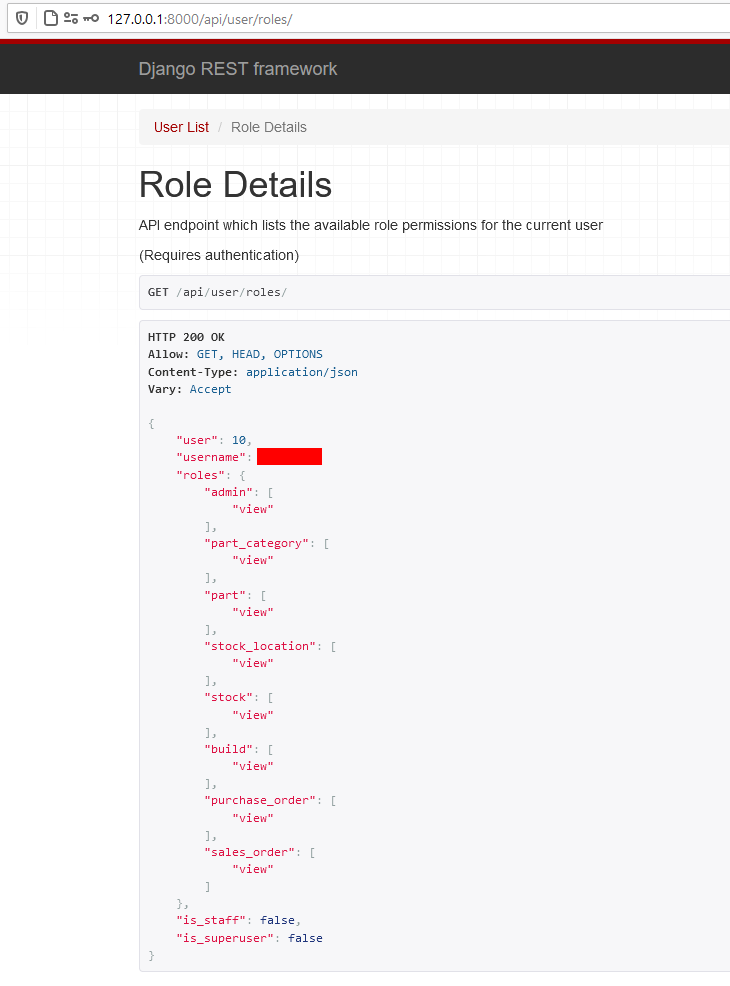
Users can only perform REST API actions which align with their assigned role permissions. Once a user has authenticated via the API, a list of the available roles can be retrieved from:
/api/user/me/roles/
For example, when accessing the API from a superuser account:
Or, when accessing the API from an account which has read-only permissions:
Permission Denied
If an API action outside of the user's role(s) is attempted, the server will respond with a 403 permission error message.