Database Admin Interface
Database Admin Interface
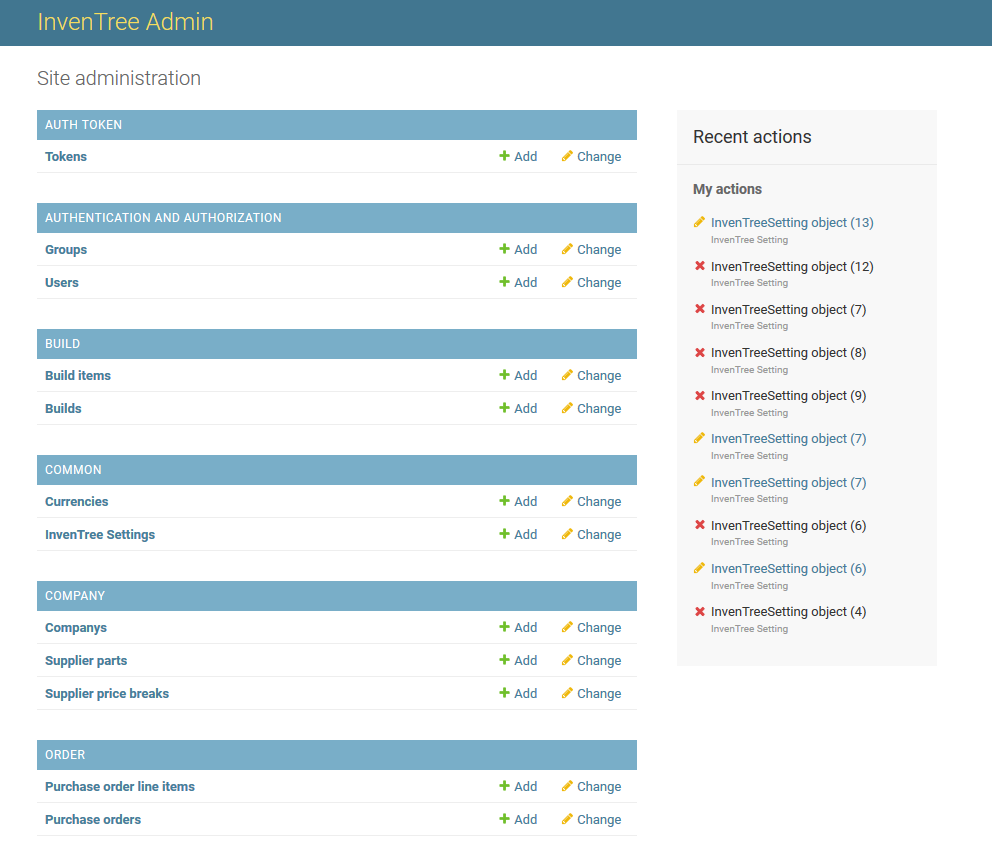
The Database Admin interface provides low-level access to InvenTree database objects.
Low-Level Interface
The Database Admin bypasses many of the application-level safety checks used in the Admin Center. Incorrect edits can create inconsistent data, break workflows, or expose security issues. Use this interface only if you understand the data model and operational impact.
Recommended Usage
Prefer the Admin Center for routine administration. Use the Database Admin only for advanced administration and troubleshooting.
Access Database Admin Interface
Access to the Database Admin requires a user account with staff privileges.
Use one of the following methods:
- Append
/admin/to the base InvenTree URL (for example:http://localhost:8000/admin/) - Use the configured administrator URL from
INVENTREE_ADMIN_URL
Permissions
A "staff" account does not necessarily provide access to all administration options, depending on the roles assigned to the user.
View Database Objects
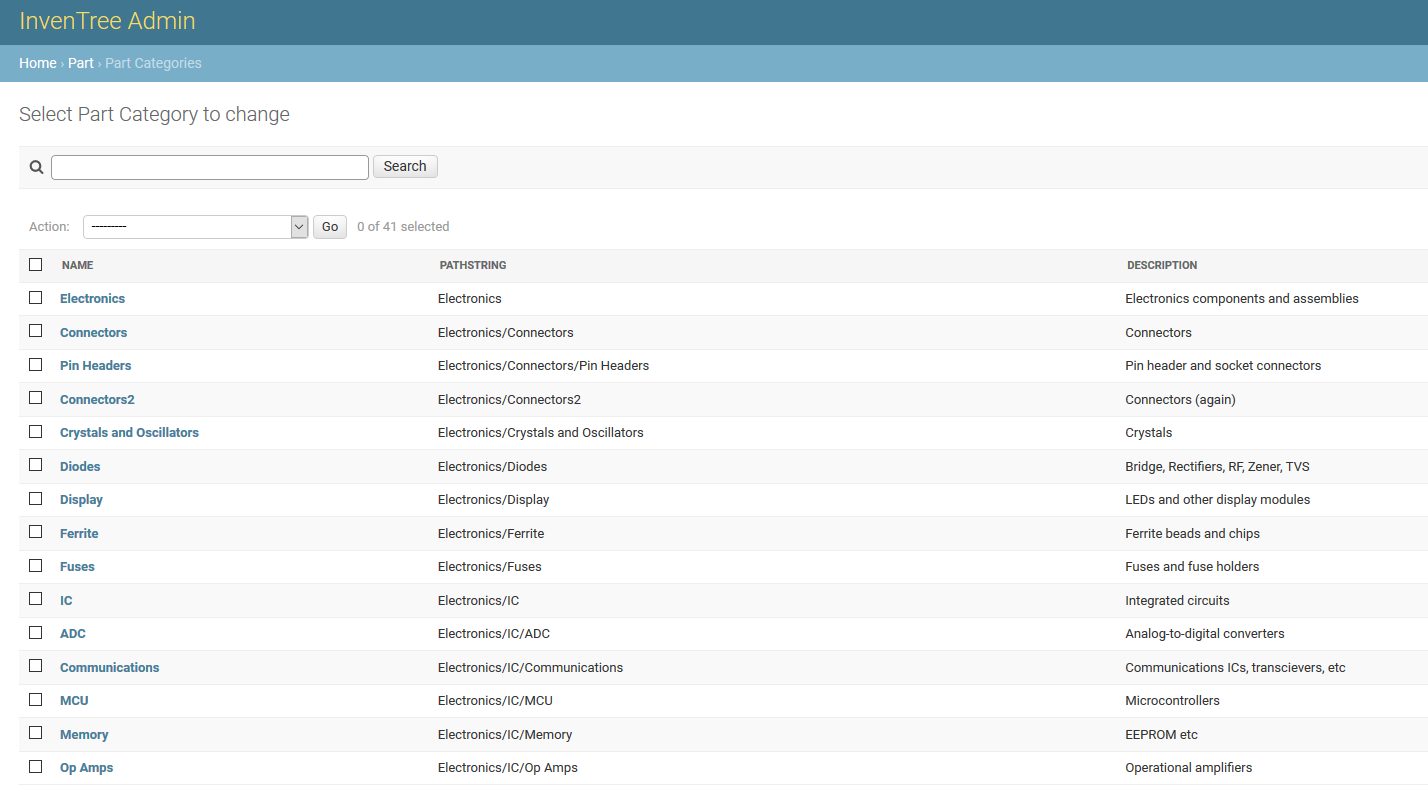
Database objects can be listed and filtered directly. The image below shows an example of displaying existing part categories.
Filtering
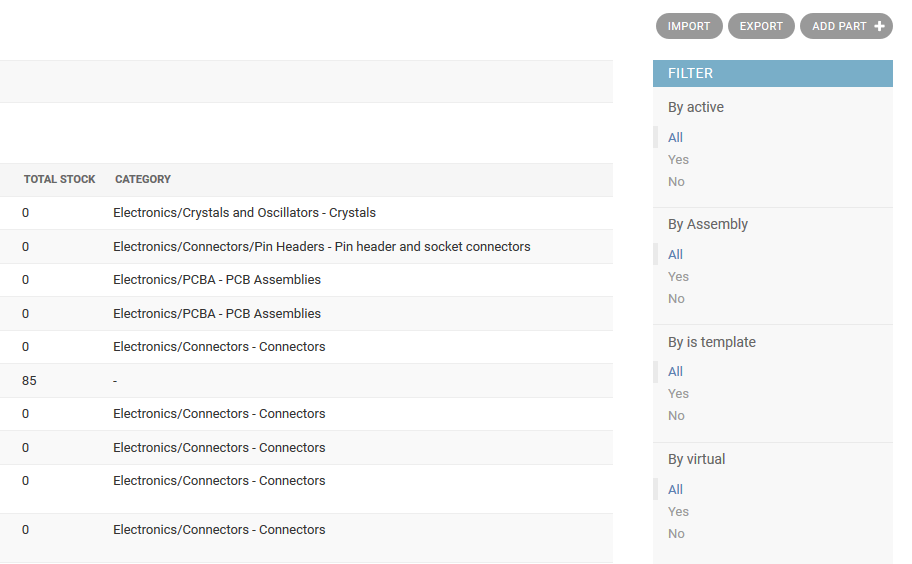
Some admin views support filtering of results against specified criteria. For example, the list of Part objects can be filtered as follows:
Edit Database Objects
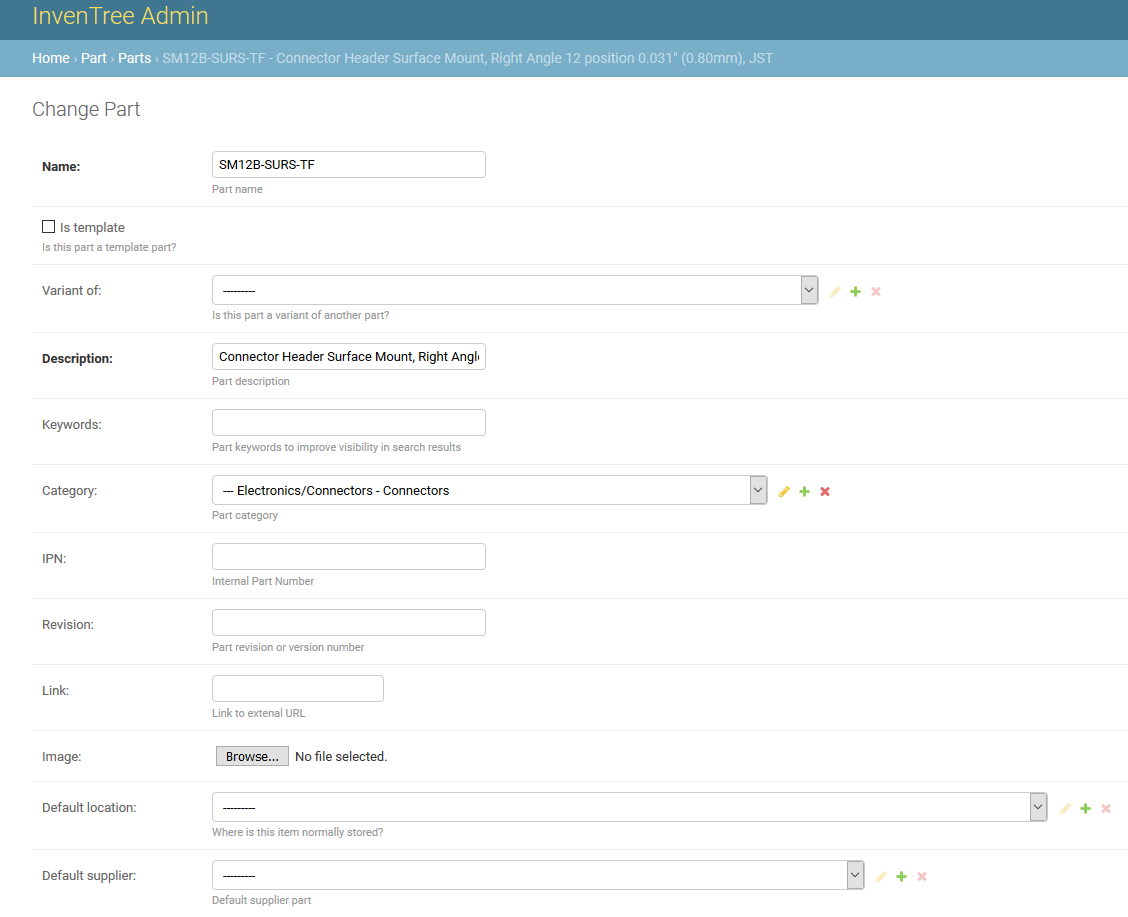
Individual database objects can be edited directly in the Database Admin interface. The image below shows an example of editing a Part object:
Before You Save Changes
Verify your changes carefully before saving. If possible, test changes in a non-production environment first. Record what you changed so it can be reviewed and reverted if needed.